解决Goland的中文乱码问题
解决Goland的中文乱码问题
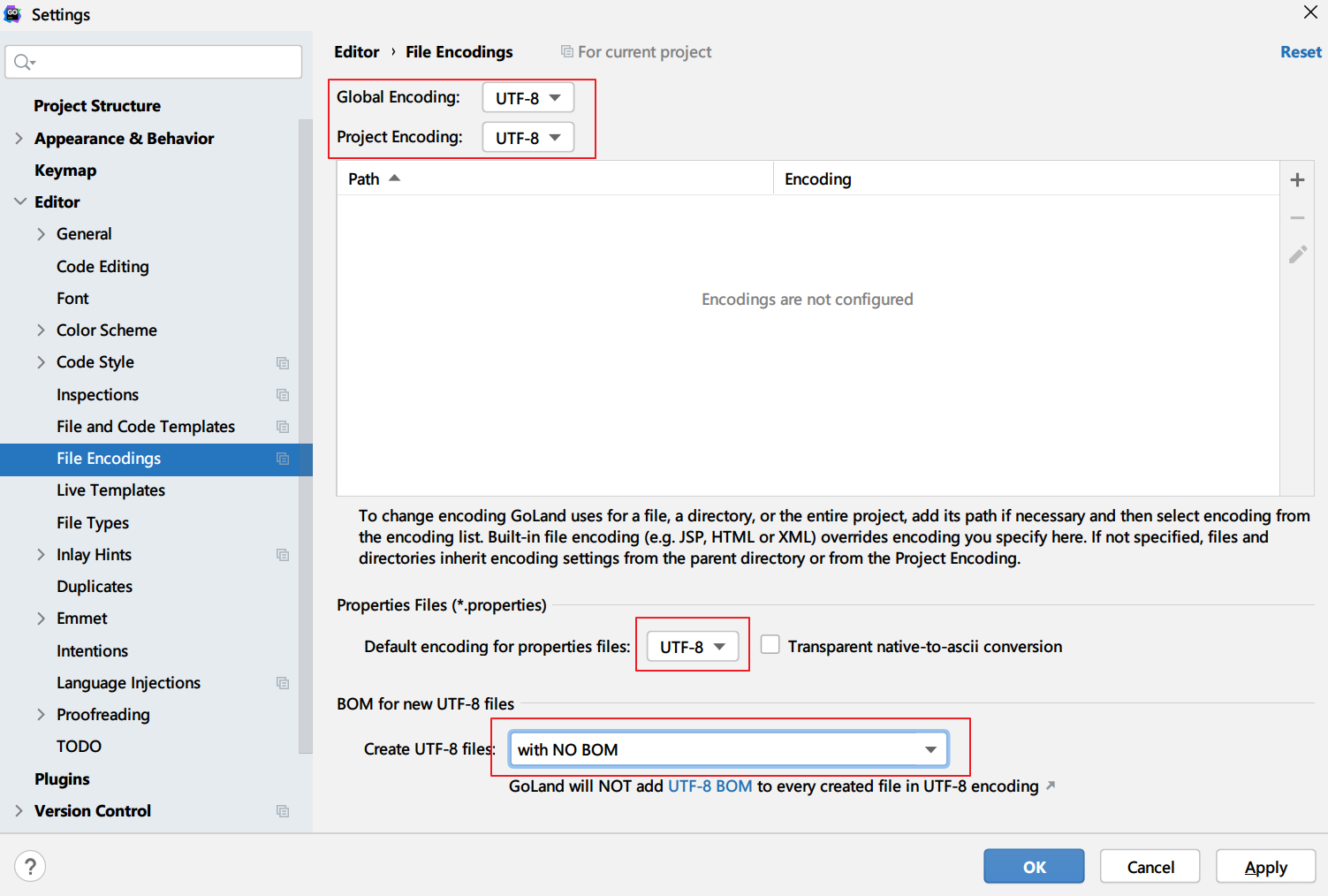
Section titled “解决Goland的中文乱码问题”编辑器配置:
goland JVM配置:
在 Help -> Edit Custom VM Options添加
-Dfile.encoding=UTF8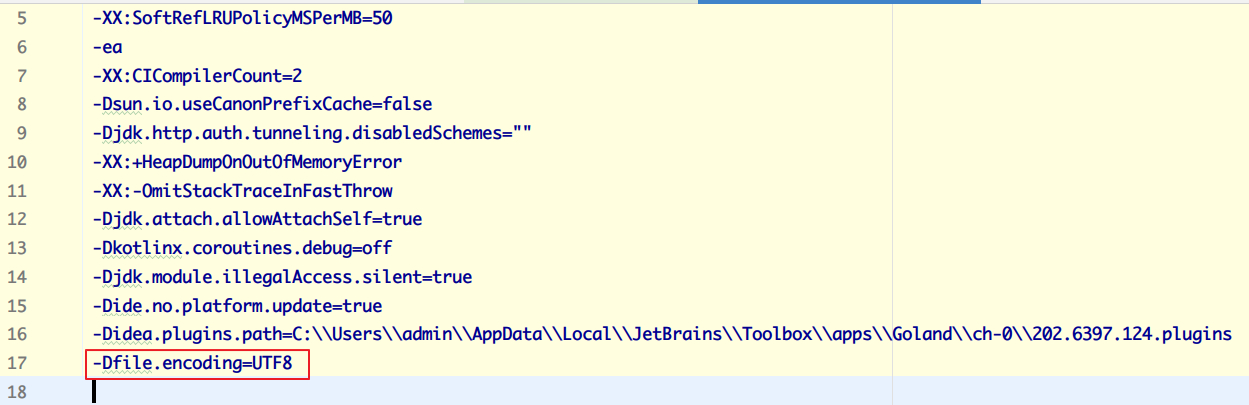
另外,还推荐使用editorconfig来为整个项目进行配置:在项目根目录下添加:.editorconfig,内容可以大致如下:
# http://editorconfig.org
root = true
[*]charset = utf-8indent_style = spaceindent_size = 4end_of_line = lfinsert_final_newline = true
[*.yaml]indent_size = 2
[*.yml]indent_size = 2
[*.xml]indent_size = 2max_line_length = 1000
[*.json]indent_size = 2max_line_length = 1000
# https://github.com/Dreamscapes/makefiles/blob/master/.editorconfig[{Makefile,**.mk}]indent_style = tab
::: tip
Jetbrains家的其他编辑器应该也一样
:::